From the fridge to the checkout and back.
Shopping List Tracker follows food the whole way: what you need, what you bought, what it cost, and what's left at home.
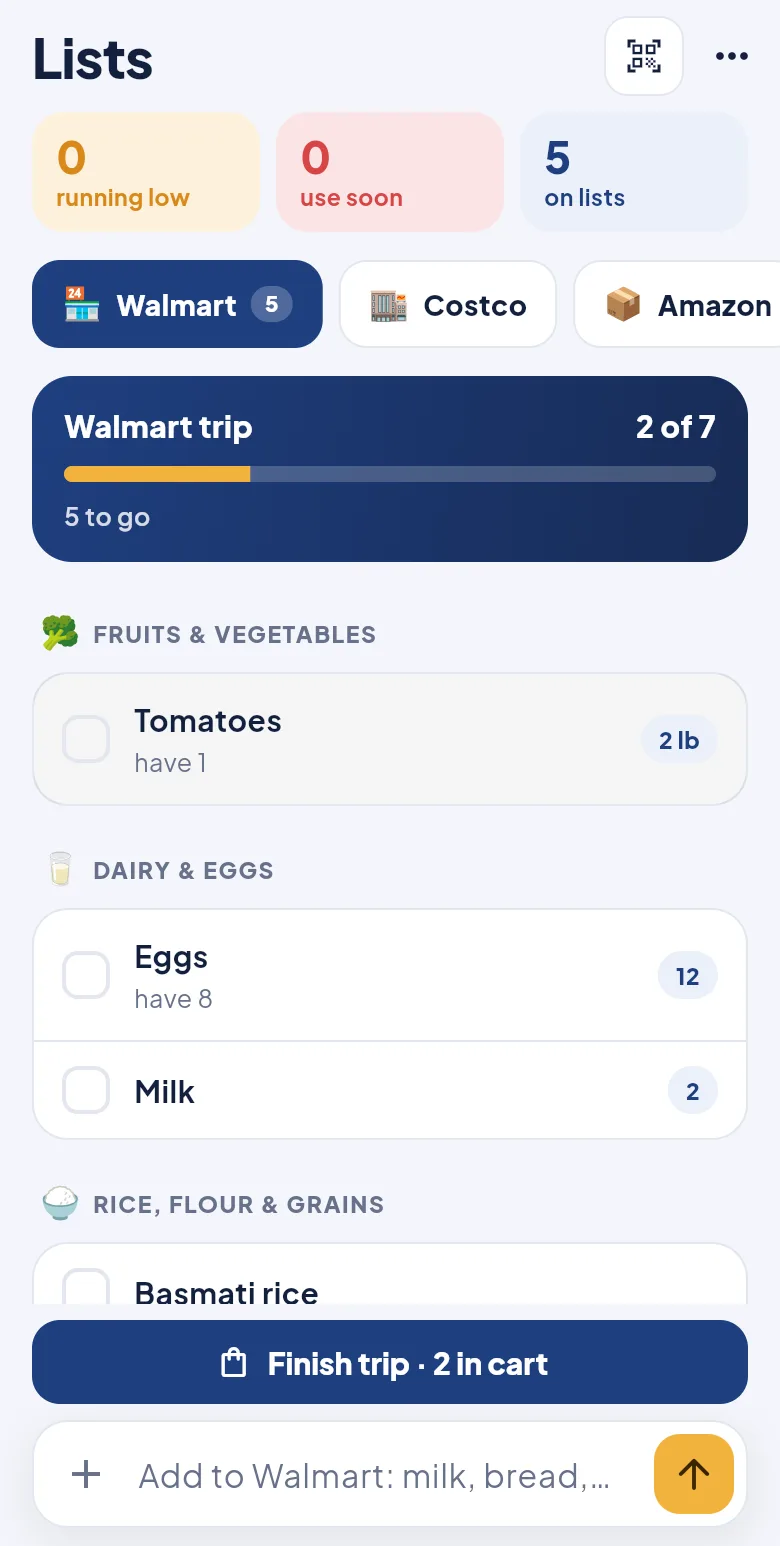
A list for every store, in aisle order.
Type "milk, bread, eggs x12" and it's sorted into aisles for you. Tick things off as you go and watch your trip fill up.
- Separate lists for Walmart, Costco, Whole Foods and any store you add
- See what you already have at home before you buy it again
- One tap to add everyday items like milk, bread and eggs
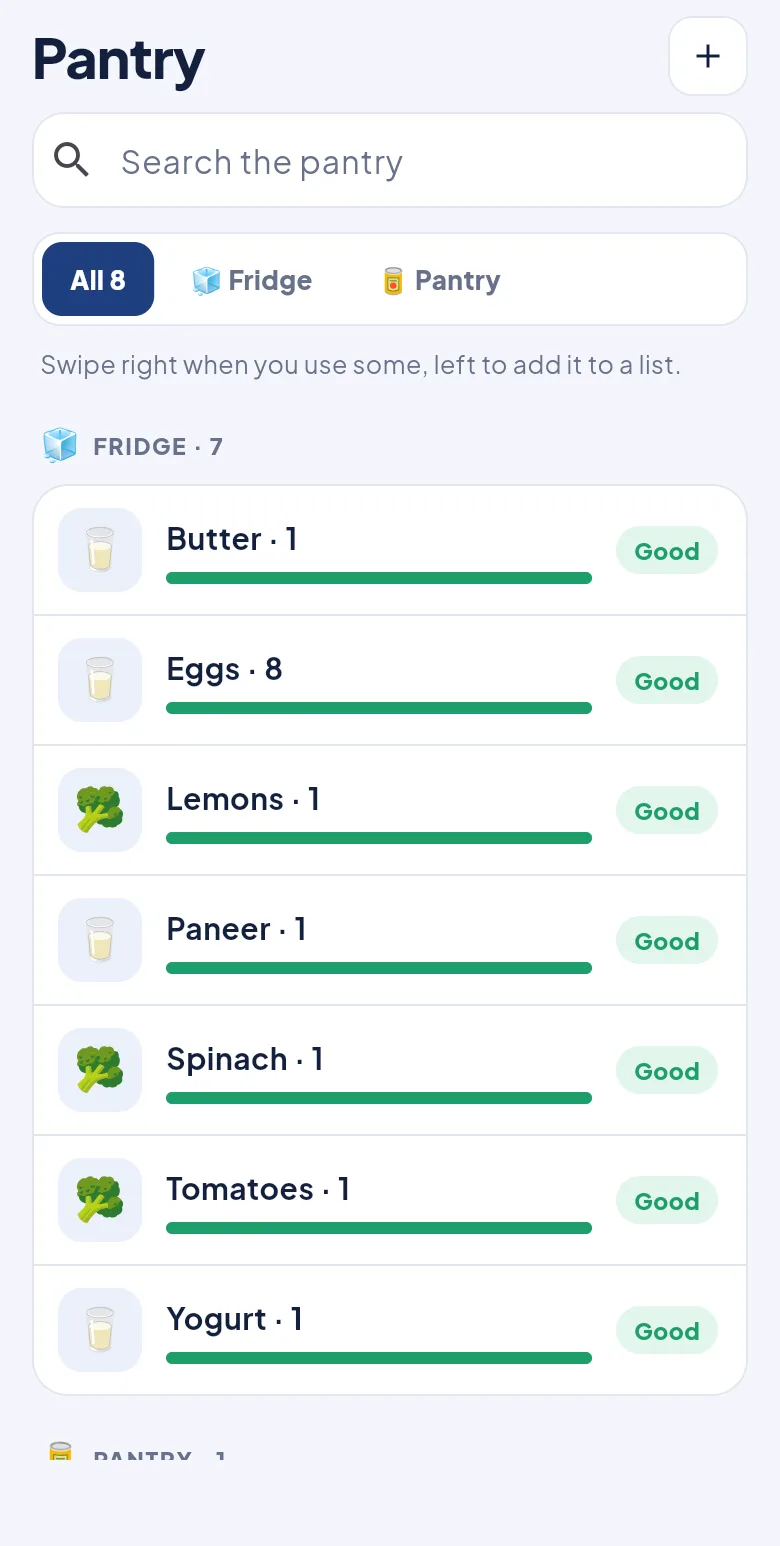
Know what's at home, and what's about to run out.
Everything you bring home lands in your pantry, sorted into fridge, freezer and cupboard. Swipe when you use something.
- Running low? It goes back on the list by itself
- Reminders the morning before something expires
- Type "rice, oil, dal" once and it all lands on the right shelf
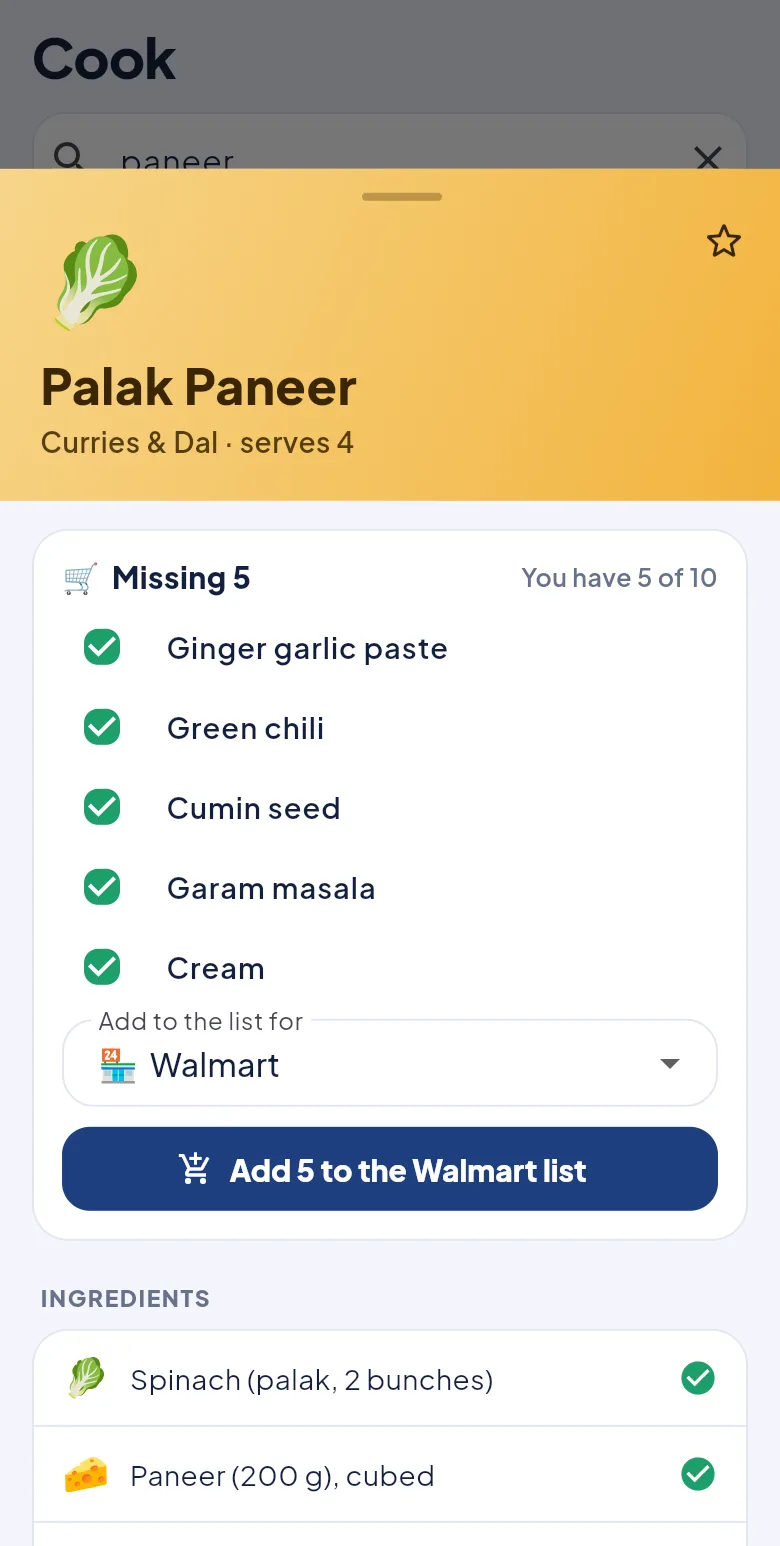
Search a dish. See what's missing. Add it to a list.
Over 170 recipes, from biryani and dosa to lasagna and tacos. Search for a dish or an ingredient you have, and the easiest ones to make come first.
- "You have 5 of 10": see at a glance what you can make tonight
- Send the missing ingredients to the store you choose
- Star favourites for the whole household
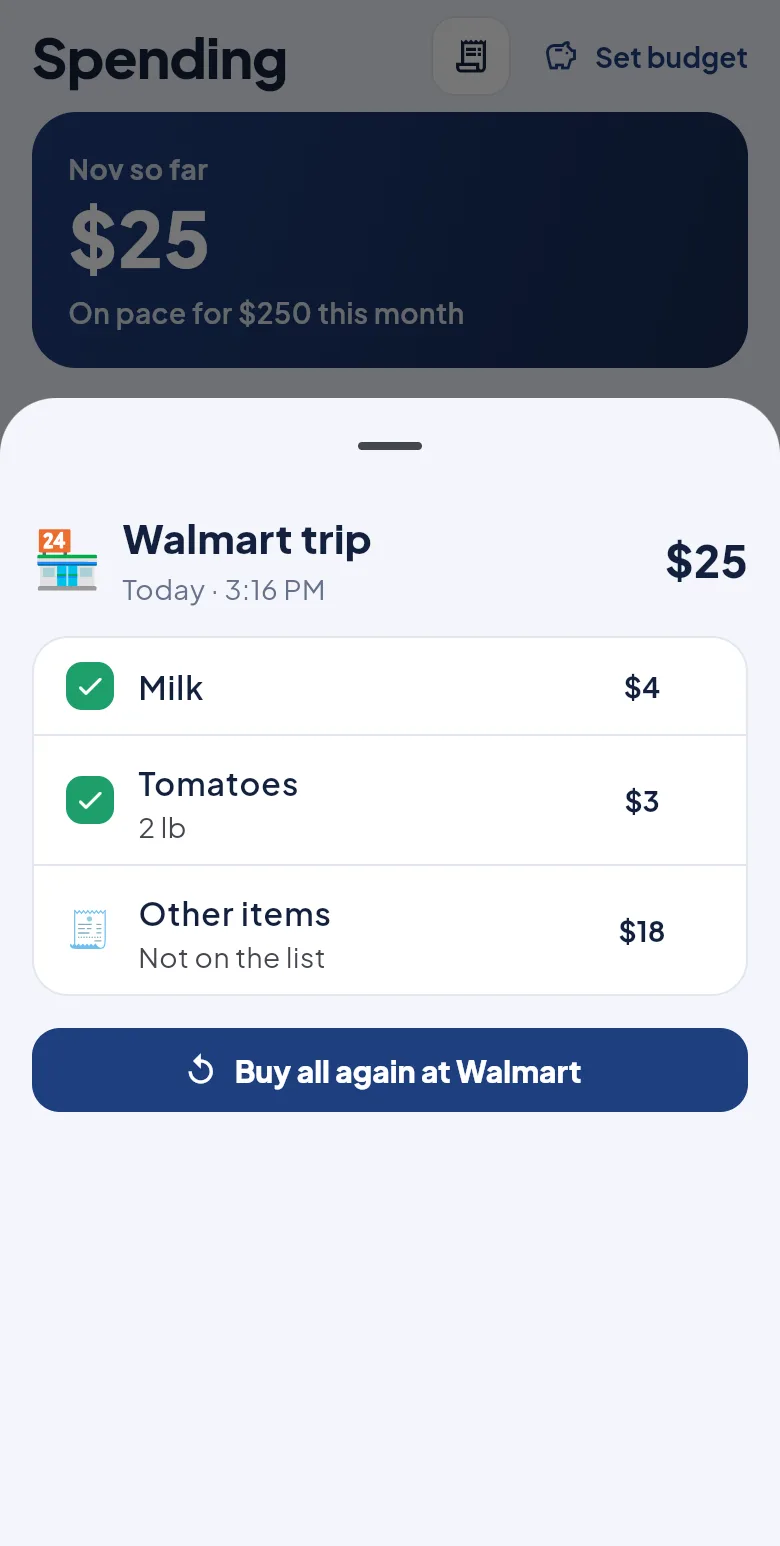
Every trip saved, like a receipt you never lose.
Finish a trip and its bill is saved with the store, the date, each item and the total, including the chips and toys that were never on the list.
- Enter the bill total and anything extra is counted as "other items"
- "Buy again" puts a past trip straight back on the list
- Shopped without the list? Just add the bill
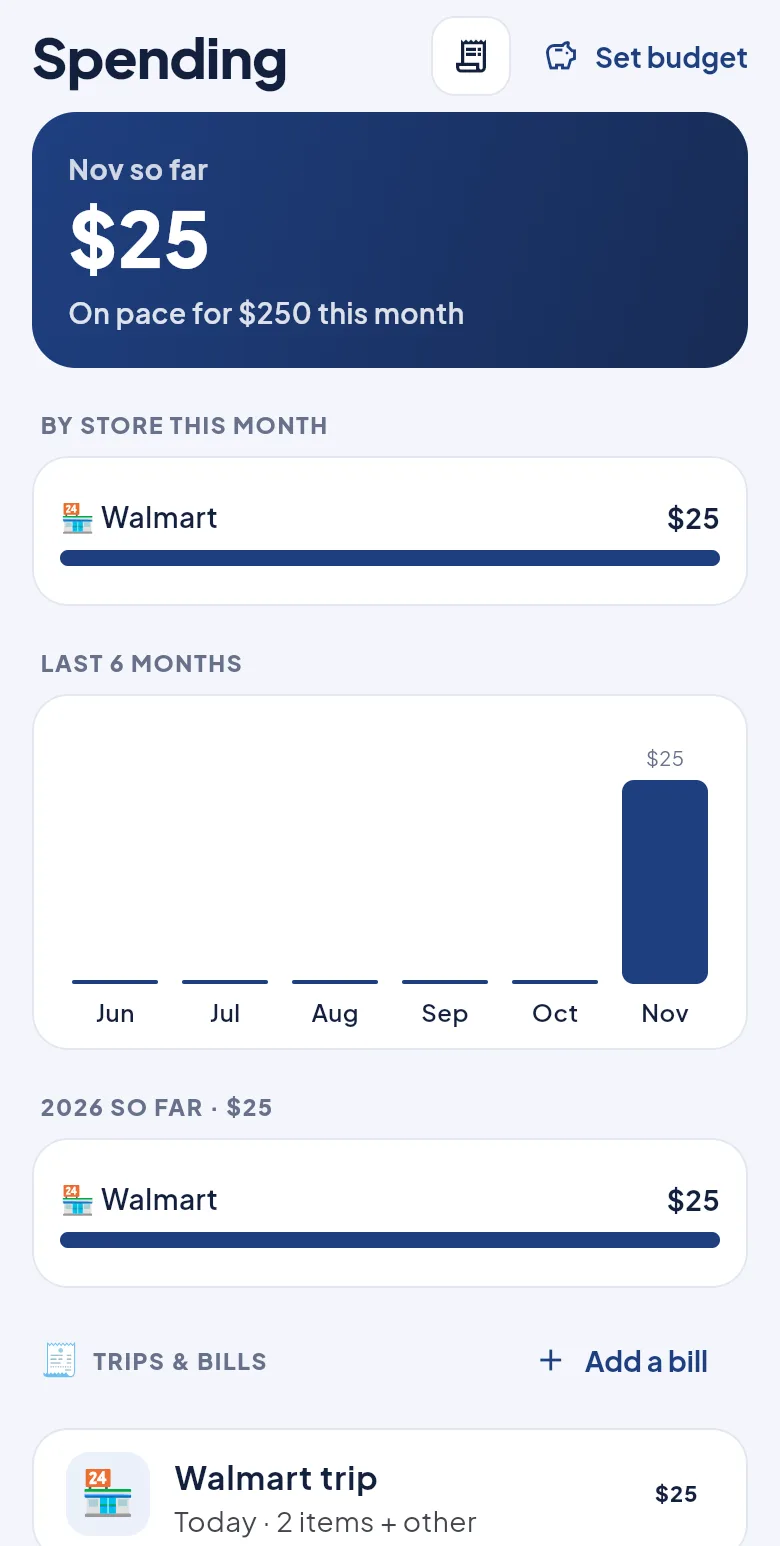
See where your money went, store by store.
Monthly and yearly totals for each store, a budget if you want one, and the price of each item at each store, so you know where to buy what.
- This month, the last six months and the whole year, by store
- "Cheaper at Costco": compared per pound or per pack
- A monthly budget with a heads-up when you're on pace to go over
Tick, finish, done.
Tick items off in the aisle. Tap Finish trip, type the prices if you like, and everything moves into your pantry while the bill is saved in Spending.
One household, one list.
Share a 6-letter code and everyone sees the same lists, pantry and bills, live. Add milk at home and it's on the list at the store.
Share with a code
Invite your partner, parents or roommates. Everyone's changes show up instantly.
Kids ask, parents decide
Kids add what they want. It waits at the top of the list until a parent taps ✓ or ✗.
Everyone keeps it current
Milk at 25%, two slices of bread left, cheese good for a week: anyone can update it, and low items go back on the list.
Light and dark
Follows your iPhone's appearance, so it's easy on the eyes at night too.
Private by design
Your lists are only visible to your household. Delete everything anytime.
Good to know
Is it free?
Yes. Shopping List Tracker is completely free and every feature is included. No ads, no subscriptions.
Which stores can I use?
Any. When you start, the app suggests popular stores for your country (Walmart, Costco and Target in the US; Ratnadeep, DMart and Blinkit in India) and you can add your local shop by name. It's not just groceries: IKEA, the pharmacy and Amazon get their own lists too, and so do occasions like Diwali, Christmas or a birthday party.
Is it on Android?
No, Shopping List Tracker is made for iPhone and is available only on Apple's App Store.
Do I need an account?
Not to try it: open the app and start adding items. To share a household, everyone signs in with Apple (one tap) or email, so each person's name shows on what they add and nobody loses the lists with a lost phone.
How do kids' requests work?
When you create an invite code, choose "for a kid". Anything a kid adds shows at the top of the list as a request, and a parent taps ✓ to add it or ✗ to say "not this time". Kids see the answer.
Can my family use the same list?
Yes. Go to Household, create an invite code and share it. Everyone who joins sees the same lists, pantry and bills.
Do I have to type every price?
No, prices are optional. Type only the bill total if you just want to track spending, or individual prices if you want to compare stores.
What if I buy something that wasn't on the list?
Enter the bill total when you finish the trip. Anything above the items you priced is saved as "other items", so your Walmart, Costco and other totals match your receipts.
How do I delete my data?
In the app, go to Household → Delete my account and data. See the Privacy Policy for details.

Shop smarter, starting this week.
Free for iPhone. Coming soon to the App Store.
Coming soon to theApp Store